
If you are a licensed professional, you already know the drill. Every renewal cycle rolls around and suddenly you are digging through folders, emails, and random screenshots trying to prove you actually did the CE hours you swear you completed.
You are not alone. Tracking continuing education credits is one of those tasks that feels small until it is not. One missed certificate or one miscounted hour and you are stuck scrambling right before a deadline, or worse, facing a fine or a lapsed license.
Whether you are a nurse tracking CEUs, a teacher logging PDHs, an attorney managing CLE hours, or a CPA keeping up with CPE requirements, the struggle is basically the same. The names change but the headache does not. Here is the good news. It does not have to be that way.
Why CEU tracking gets messy
Most people start out with a simple plan. Maybe a folder on their desktop, maybe a spreadsheet they meant to keep updated. It works for a month or two. Then life happens. You take a course here, a webinar there, and before you know it you have certificates saved in three different places and no real sense of where you stand for the renewal period.
The problem is not that people are disorganized. The problem is that most tracking methods were never built for this specific job. A generic spreadsheet does not know your license requirements. A folder of PDFs does not tell you how many hours you still need. And if you hold more than one license or certification, the math gets complicated fast, since each one usually has its own deadline, its own hour requirement, and its own rules about what counts.
This is exactly why so many people end up searching for a dedicated continuing education tracker instead of trying to force a generic tool to do a job it was never built for.
How to track CEU credits step by step
If you want a system that actually holds up over a full renewal cycle, here is a simple approach that works no matter what profession you are in.
- Log every course the same day you finish it. Do not wait. Memory fades fast, and details like exact hours, provider name, and completion date get fuzzy within a week.
- Attach the certificate the moment you log the course. Keeping proof separate from your log is one of the most common reasons people end up scrambling. If the certificate lives with the entry, there is nothing to hunt for later.
- Track every license separately if you hold more than one. Requirements rarely match across licenses, even in the same profession. Keeping them in one running list without separating them is a fast way to miscalculate your progress.
- Check your progress on a regular basis. Monthly is a good rhythm. This is the step people skip most, and it is the one that prevents last minute stress more than any other.
- Know your deadline windows in advance. Ninety days out, sixty days out, thirty days out. Having reminders at each stage means you are never caught off guard by a date you forgot to watch.
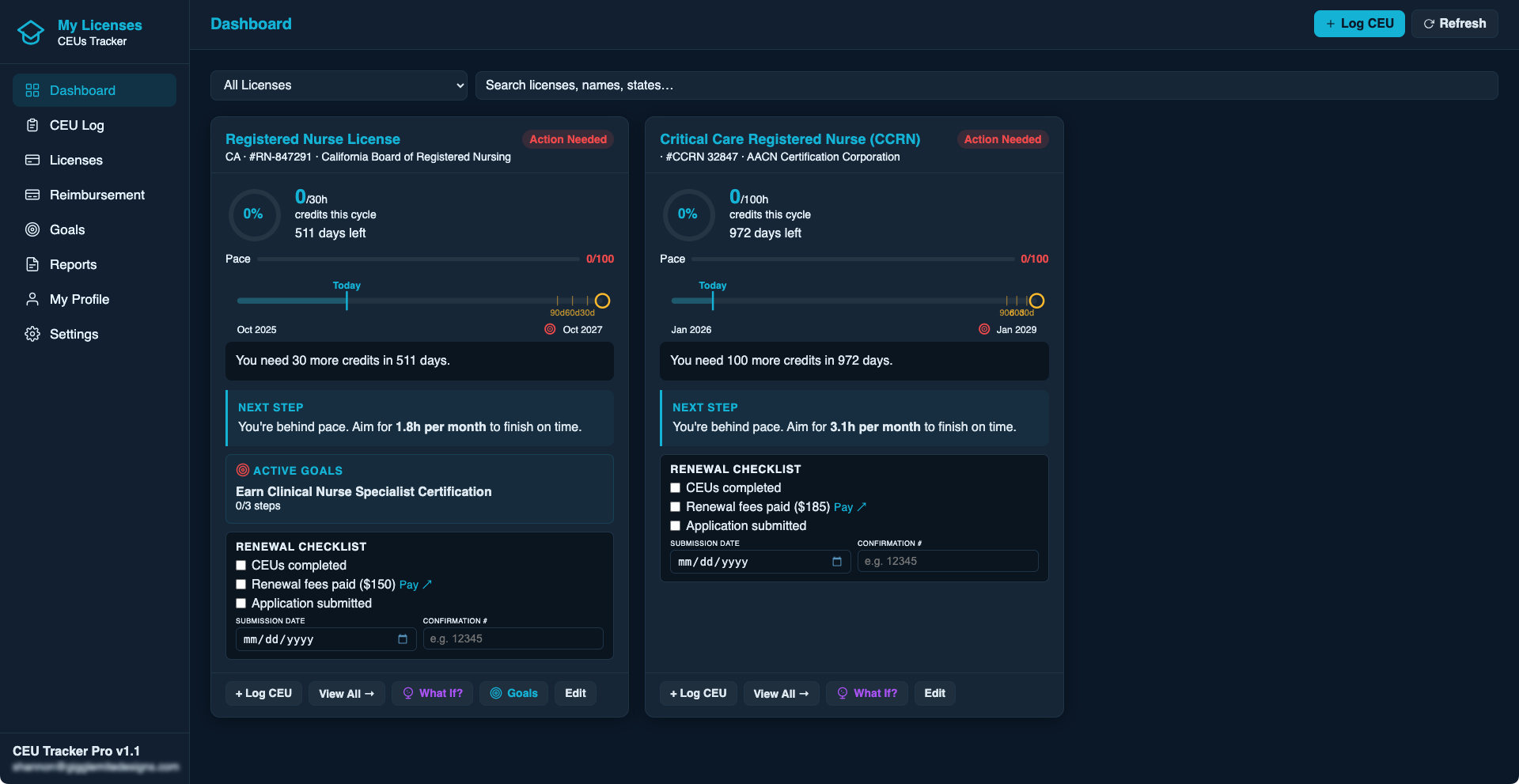
That last point matters more than people expect. Seeing your progress in real time changes how you think about the whole process. Instead of dreading it, you just glance at a dashboard and know exactly where you stand.
Where a CEU tracking tool actually helps
This is where dedicated CEU tracking software earns its place. Instead of juggling folders and spreadsheets, everything lives in one spot. You log a course, attach the certificate, and the system keeps a running total against your specific requirement. When renewal time comes, you are not scrambling. You already know you are covered, or you know exactly what is left.
That is exactly why we built CEU Tracker Pro. It is designed for licensed professionals who want a simple, reliable way to log hours, store certificates, and see their progress at a glance, without needing to become a spreadsheet expert to do it. It works across nurses, social workers, CPAs, teachers, attorneys, and pretty much any profession that requires continuing education. Your data stays in your own Google Drive too, so you are never locked into anyone else's system or worried about a company holding your records hostage.
CEU Tracker Pro is one of the tools in TheCubbyStop's lineup of productivity apps built for real work, not busywork. If credit tracking is not your only organizational headache, it is worth poking around the rest of the site.
The bottom line
Continuing education requirements are not going away, and neither is the stress that comes with tracking them the hard way. But the fix is simpler than most people think. Log as you go, keep your proof attached, track each license separately, and check in on your progress before the deadline is breathing down your neck.
Get a head start on your next renewal
CEU Tracker Pro logs your hours, stores your certificates, and shows your pace, all inside your own Google account.
Explore CEU TrackerFrequently asked questions
How many CEU hours do I need per renewal cycle?
It depends entirely on your profession and state. Nurses, teachers, attorneys, and CPAs all have different requirements, and even within the same profession the number can vary by state or licensing board. Always check your specific board's current requirement, since these numbers do change over time.
What happens if I miss my CEU deadline?
Consequences vary but usually range from a late fee to a temporarily lapsed license until you catch up on hours. Some boards allow a grace period, others do not. This is exactly why tracking your deadline in advance instead of finding out at the last minute matters so much.
Can I track CEUs for more than one license at the same time?
Yes, and if you hold multiple licenses or certifications, keeping them separate is important since each one likely has its own hour requirement and renewal date. A tool built for multi license tracking, like CEU Tracker Pro, handles this automatically instead of making you do the math yourself.
Do I need to keep my CEU certificates after I submit my renewal?
In most cases yes. Many boards can request proof of completion during an audit, sometimes years after the renewal itself. Keeping certificates stored and organized long term, rather than deleting them after renewal, protects you if that happens.
What is the easiest way to track CEUs without using a spreadsheet?
Dedicated CEU tracking software removes the manual math and the certificate hunting that comes with spreadsheets. Since it is built specifically for licensing requirements, it can show your progress, remaining hours, and deadlines automatically instead of you calculating it by hand.